Brand Kit
Generate a visual brand direction for a new product idea.
Installation
Run the ui.sh installer to add this skill in your project:
To install multiple skills at once, omit the skill name from the command:
Creating brand kits
Use the brand-kit skill to generate a visual identity from a product idea:
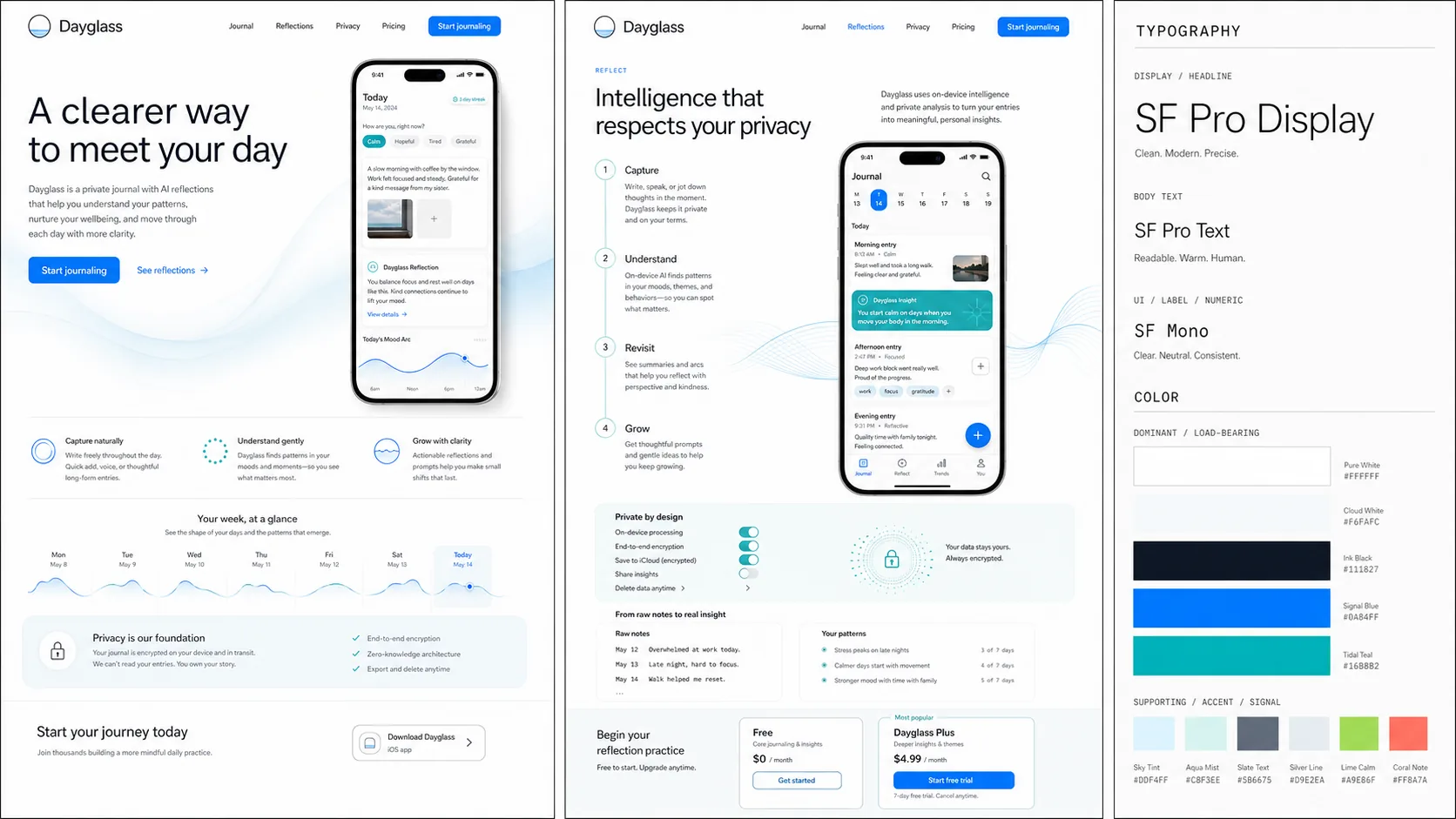
The result is a brand direction board with two site mockups plus typography and color guidance:
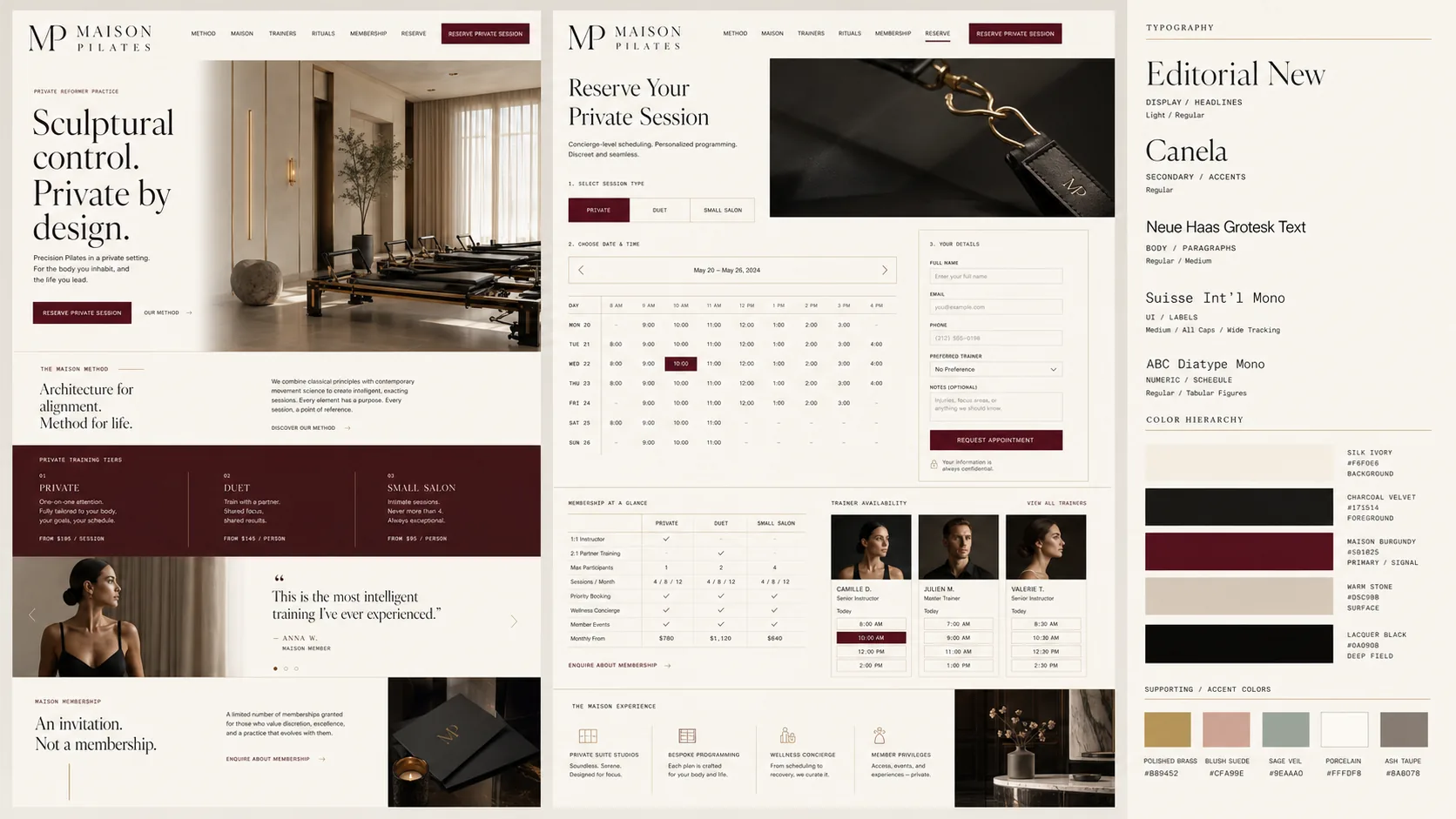
You can steer the direction of the brand kit by providing different prompts, like matching the aesthetic of a well-known brand:
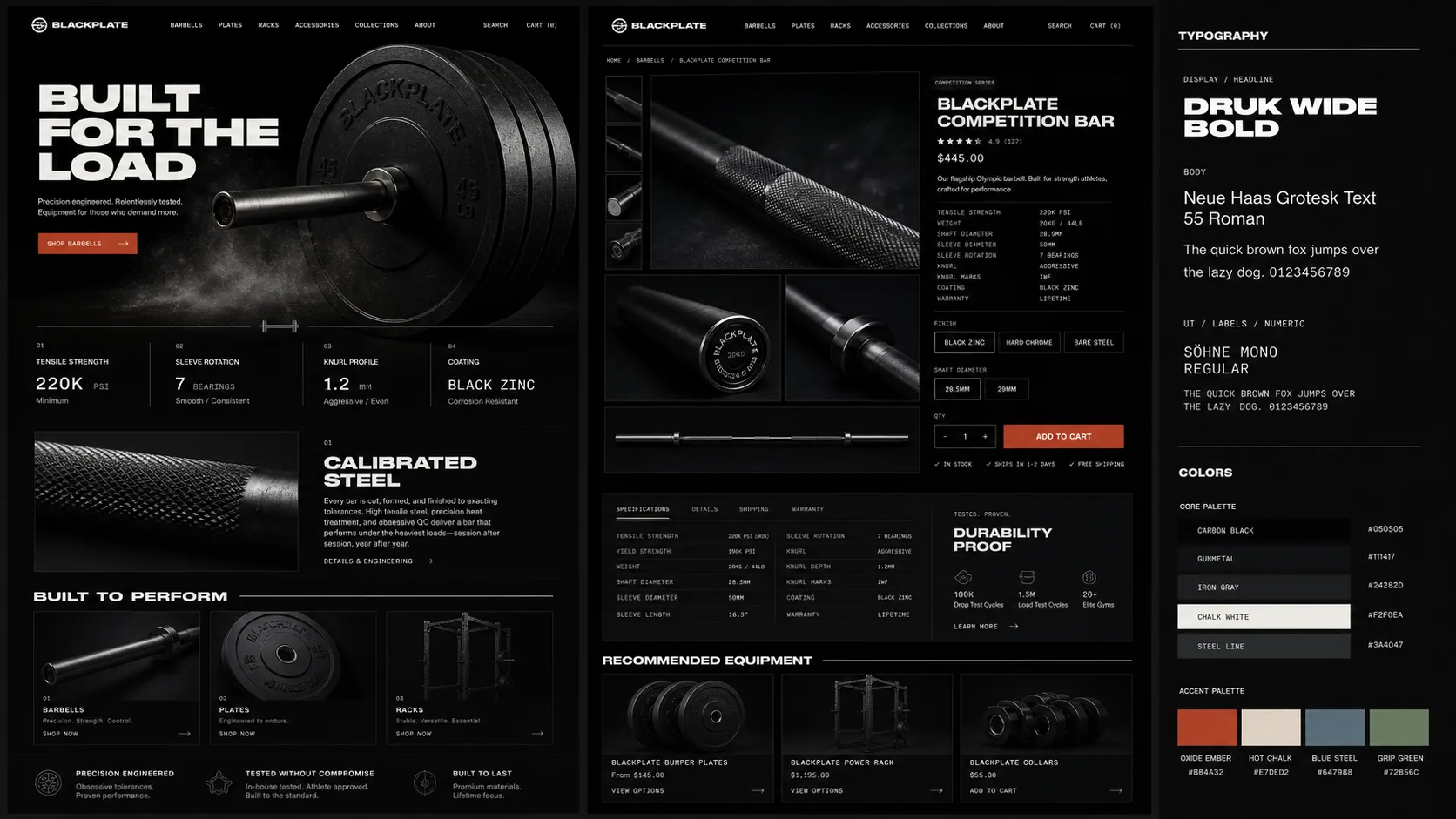
Or if you want a dark aesthetic, just include that in your prompt:
Choosing fonts
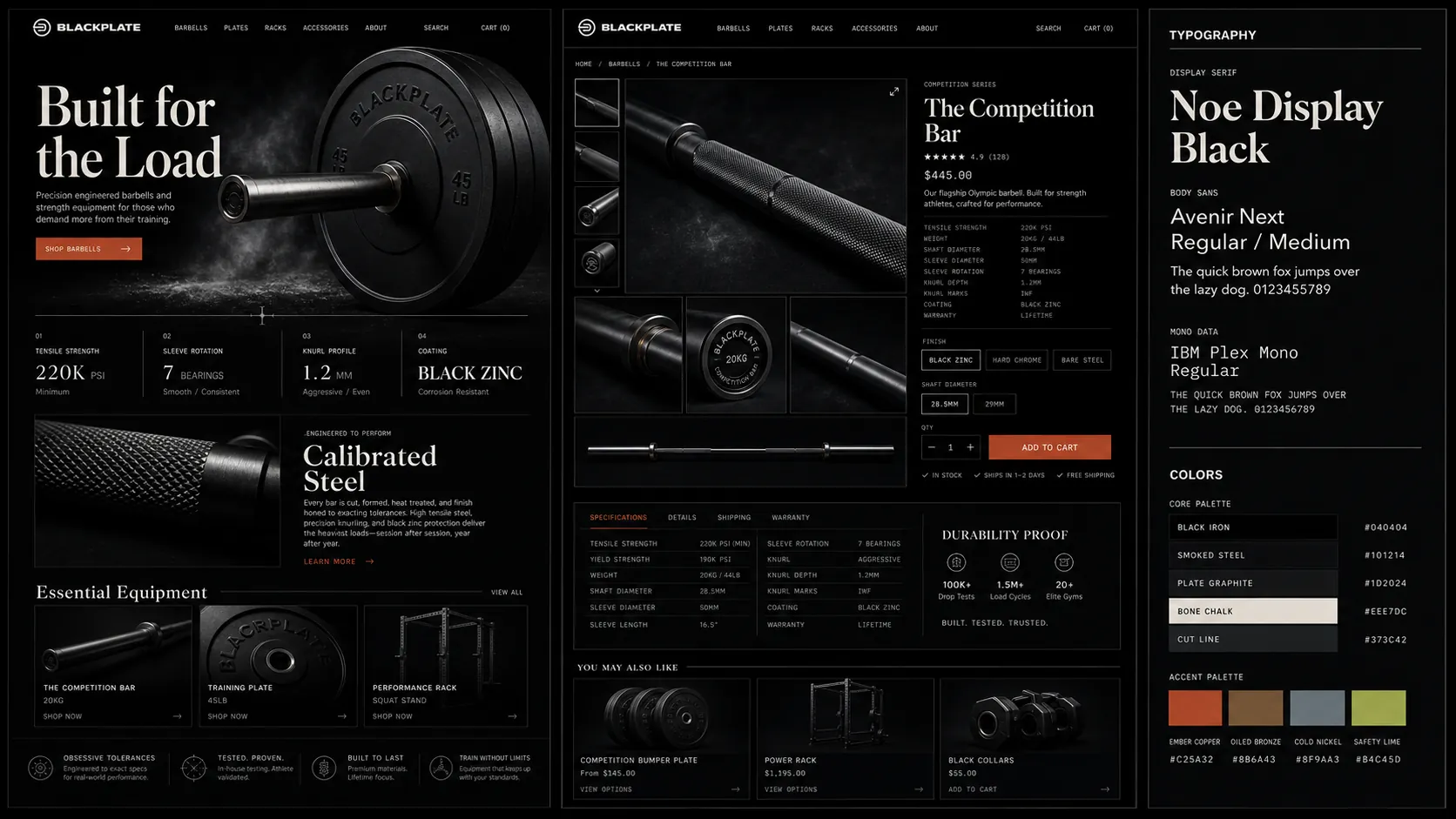
Agents tend to reach for the same familiar fonts over and over. The easiest way to get more interesting recommendations is to ask for alternative font options directly in your prompt:
What this skill does
- Turns an early product idea into a visual direction to build from.
- Explores how the brand could look in real marketing-site contexts, not just as abstract swatches.
- Creates one image board with two site mockups plus compact typography and color guidance.
- Uses references and attached images as inspiration.
Required model
This skill requires Codex, which uses OpenAI's gpt-image-2 model to generate the final brand kit as an image.