Design
Build new UI with the expertise of a senior designer.
Installation
Run the ui.sh installer to add this skill in your project:
To install multiple skills at once, omit the skill name from the command:
Generating designs
Use the design skill for any prompt that involves designing or building UI:
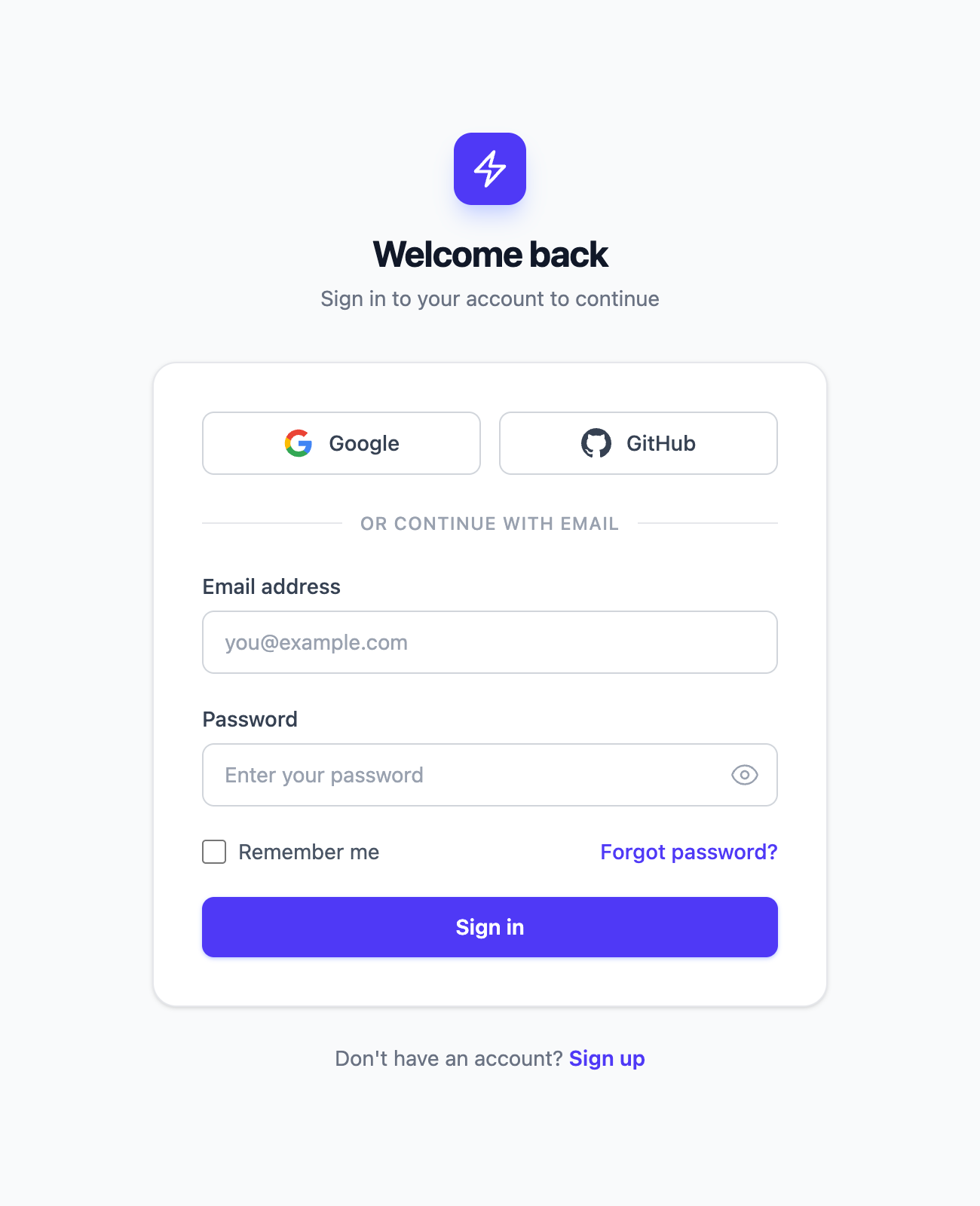

The differences between these two outputs are subtle, but that is often what separates design that feels dated from something more modern.
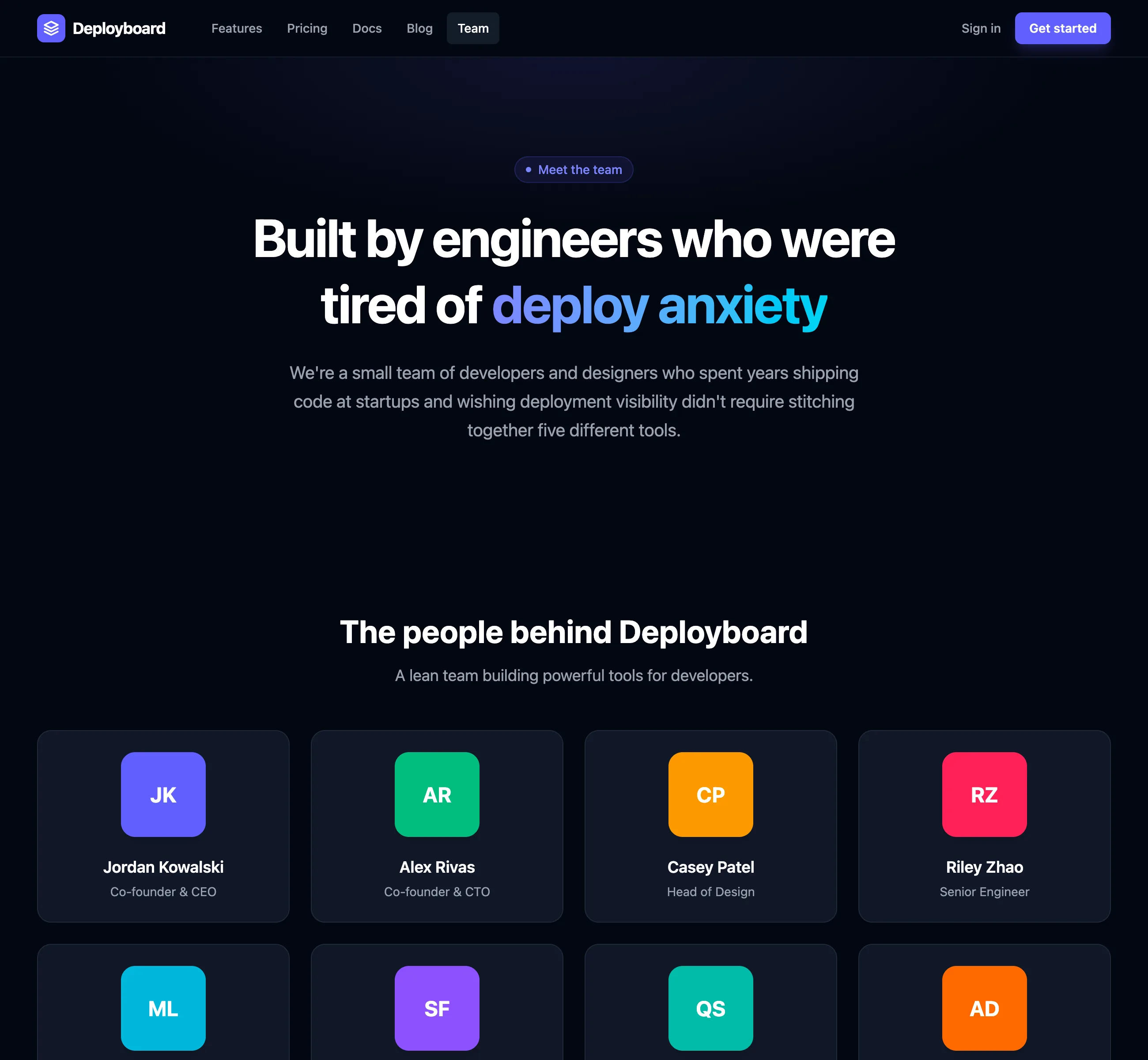
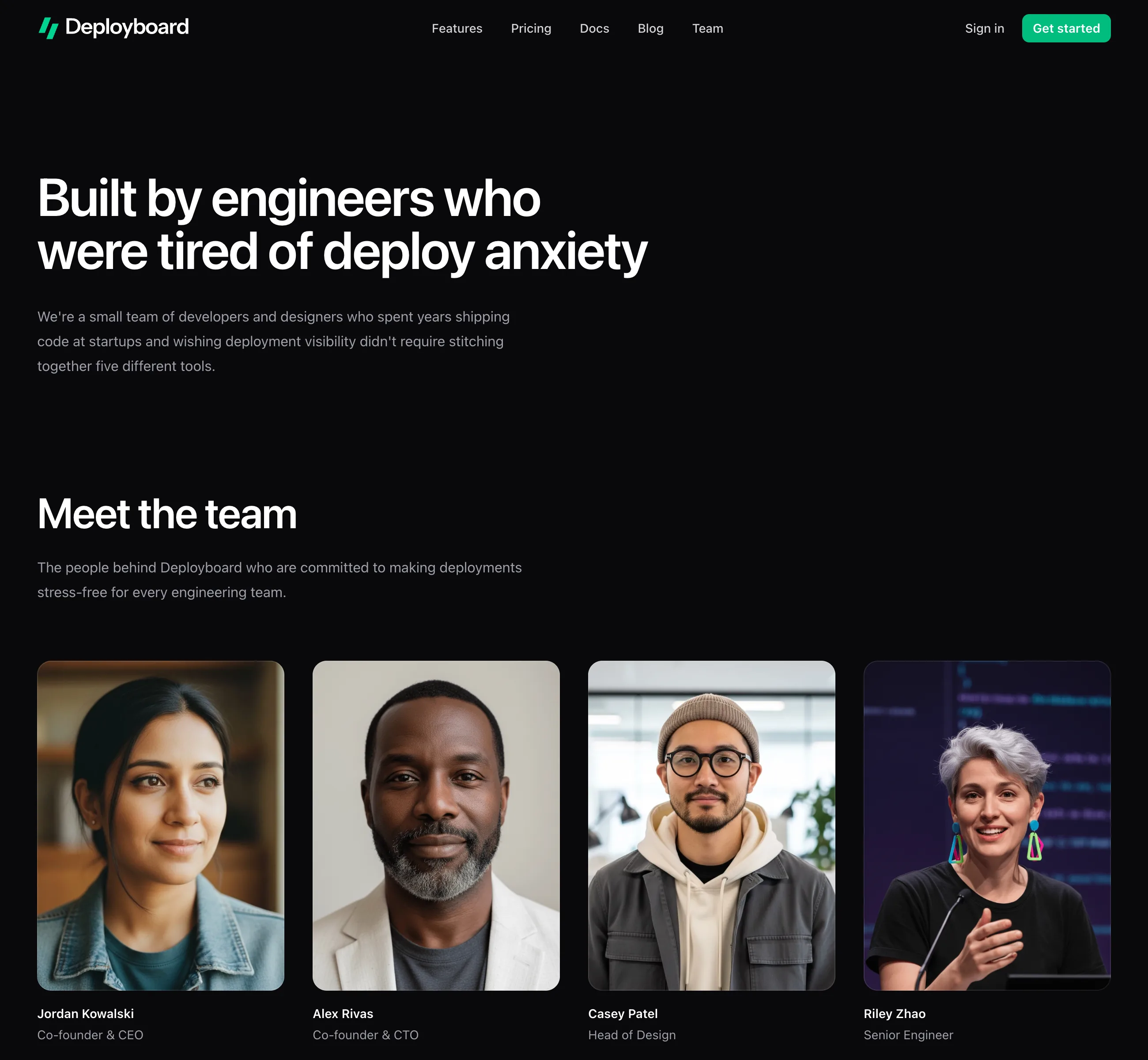
Here's another example, this time of a team page.
Notice how it nudges the agent away from common AI tells like purple-heavy palettes, text gradients, and boxing content into unnecessary panels:
Generating multiple design concepts
Combine the design and ideas skills to generate a few different design concepts to choose from:
See the ideas skill for more information.
What this skill does
- Uses design-related guidelines to make new UI feel less like it was designed by an AI agent and more like it came from an expert designer.
- Guides decisions about layout, hierarchy, color, spacing, typography, and component details.
- Builds within the project's existing framework, components, assets, and conventions.
- Checks the result across responsive breakpoints and important interaction states.
Recommended model
The ui.sh design rules are designed to work with any AI coding agent, but we've done most of our testing with Claude Code (Opus) and Codex, and have seen the best results with Claude's Opus model.